A modern hardware monitor for Windows, Linux, and macOS
Monitor your devices in real-time. Access detailed hardware statistics from any browser, anywhere.
Free 7-day trial. Buy once, no subscription required.
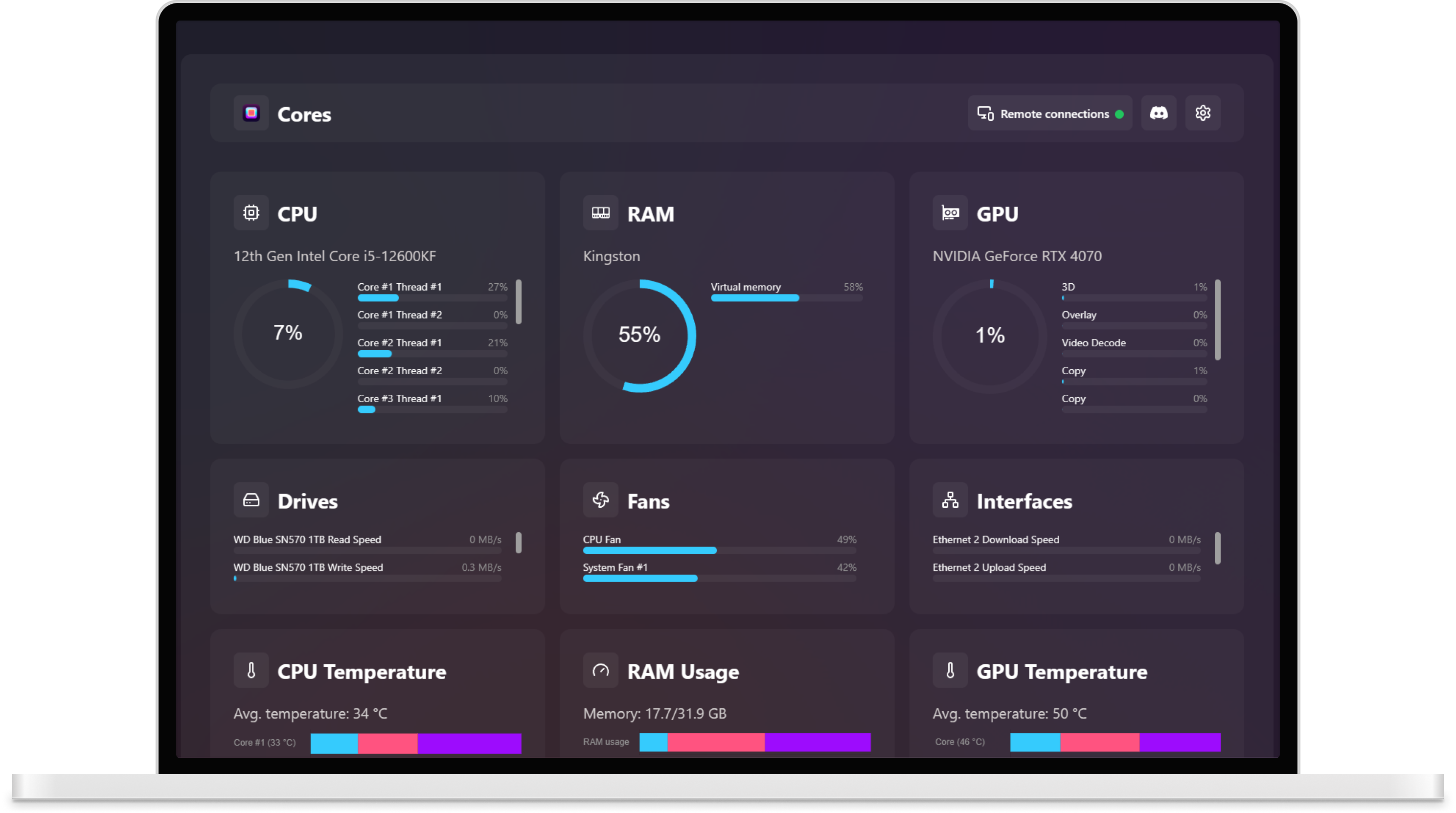
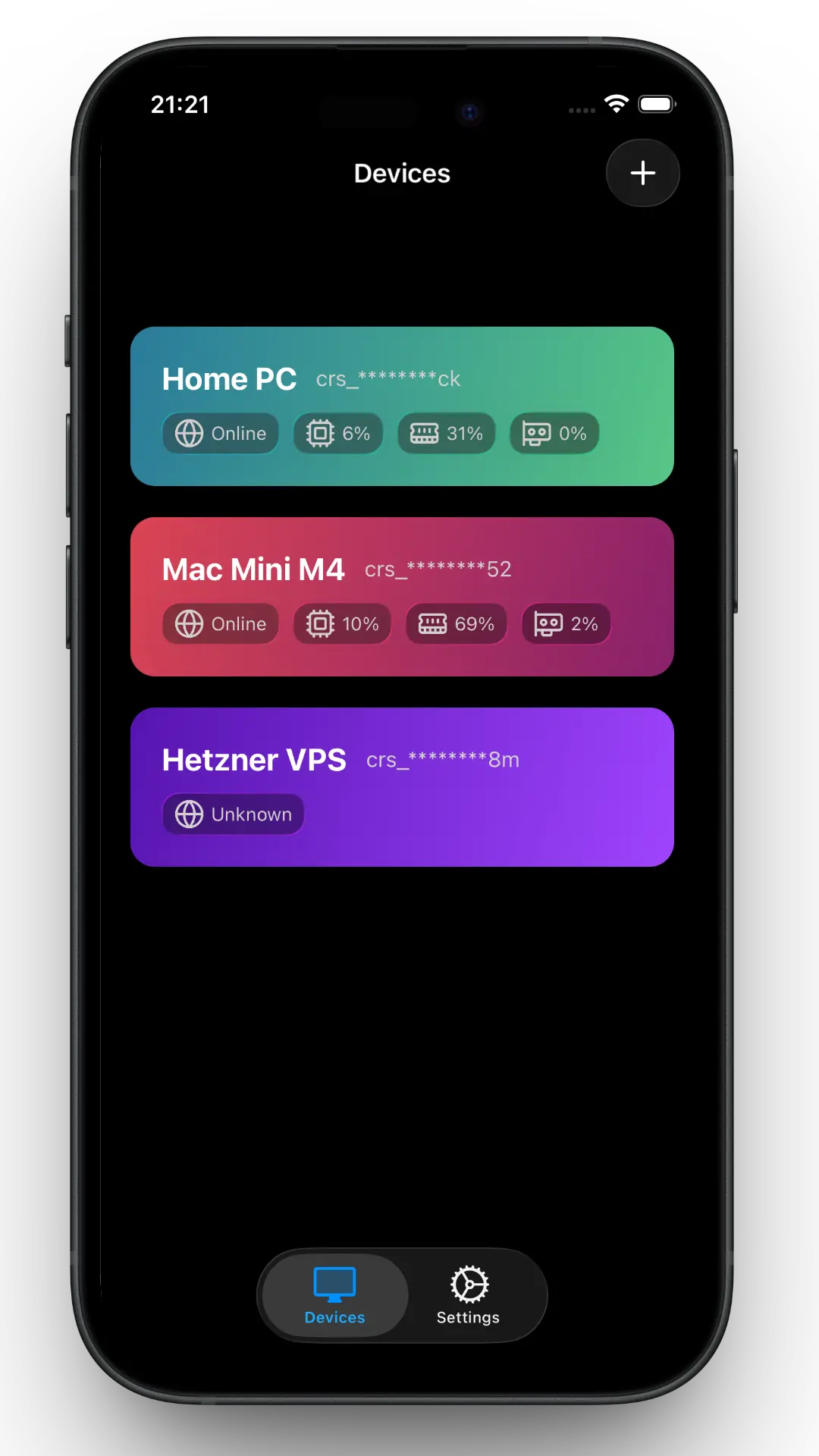
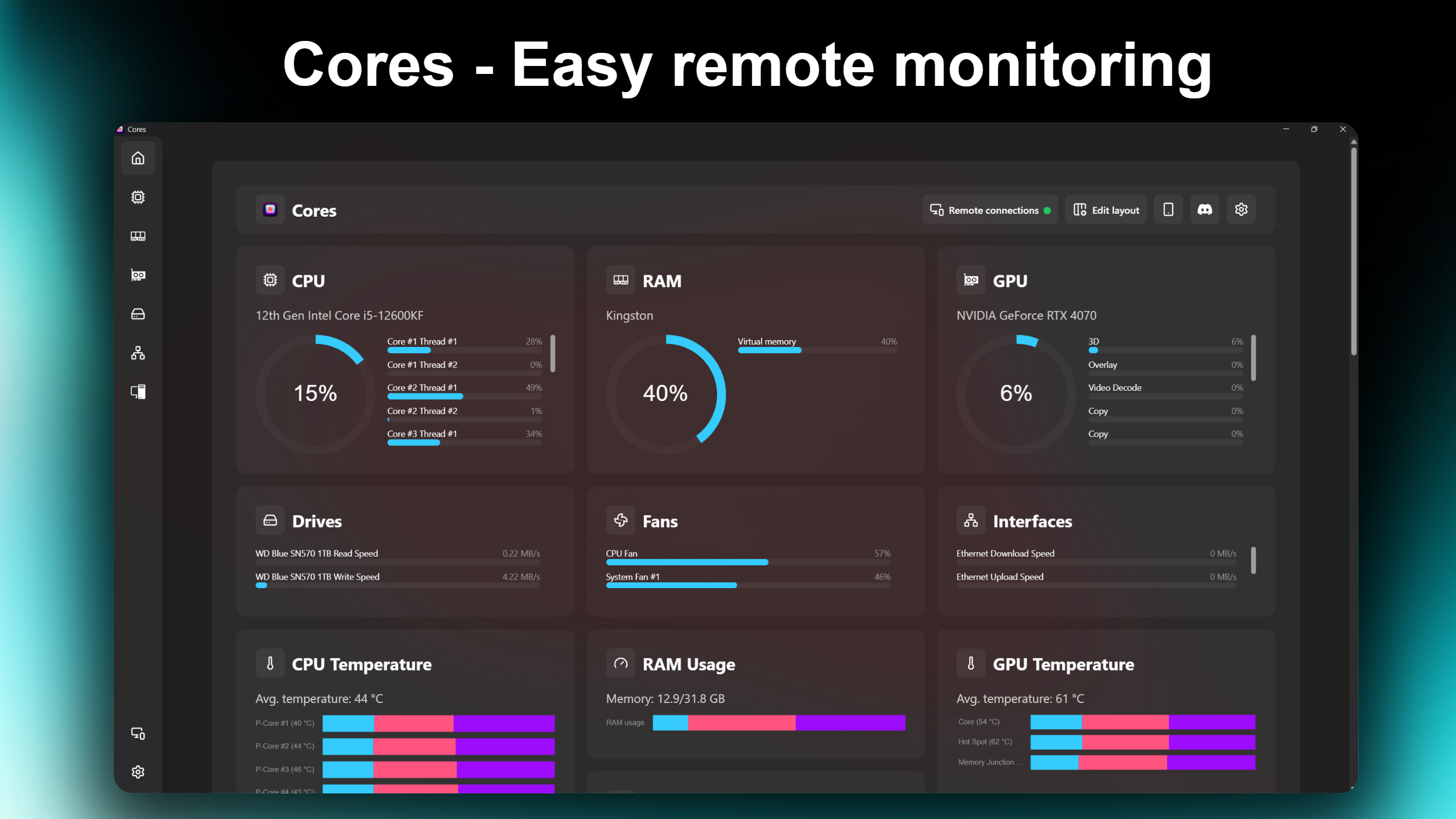
Monitor any system with ease
All your system's hardware readings, in one place.
Build your own home screen
Arrange tiles to show exactly the readings you care about.
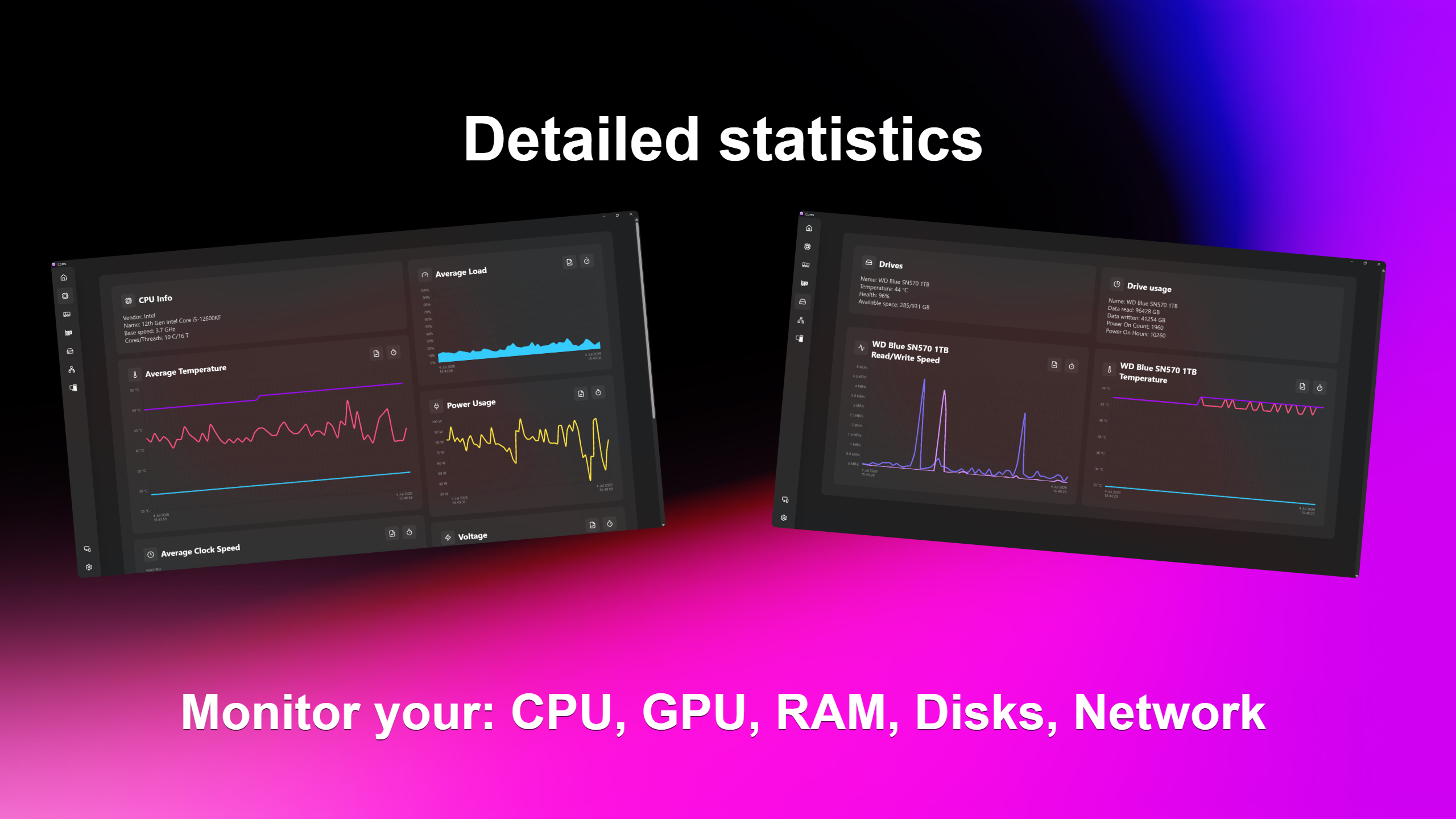
Every sensor, charted
Minimum, current, and maximum values for every hardware component, with detailed charts you can export as .csv or image.
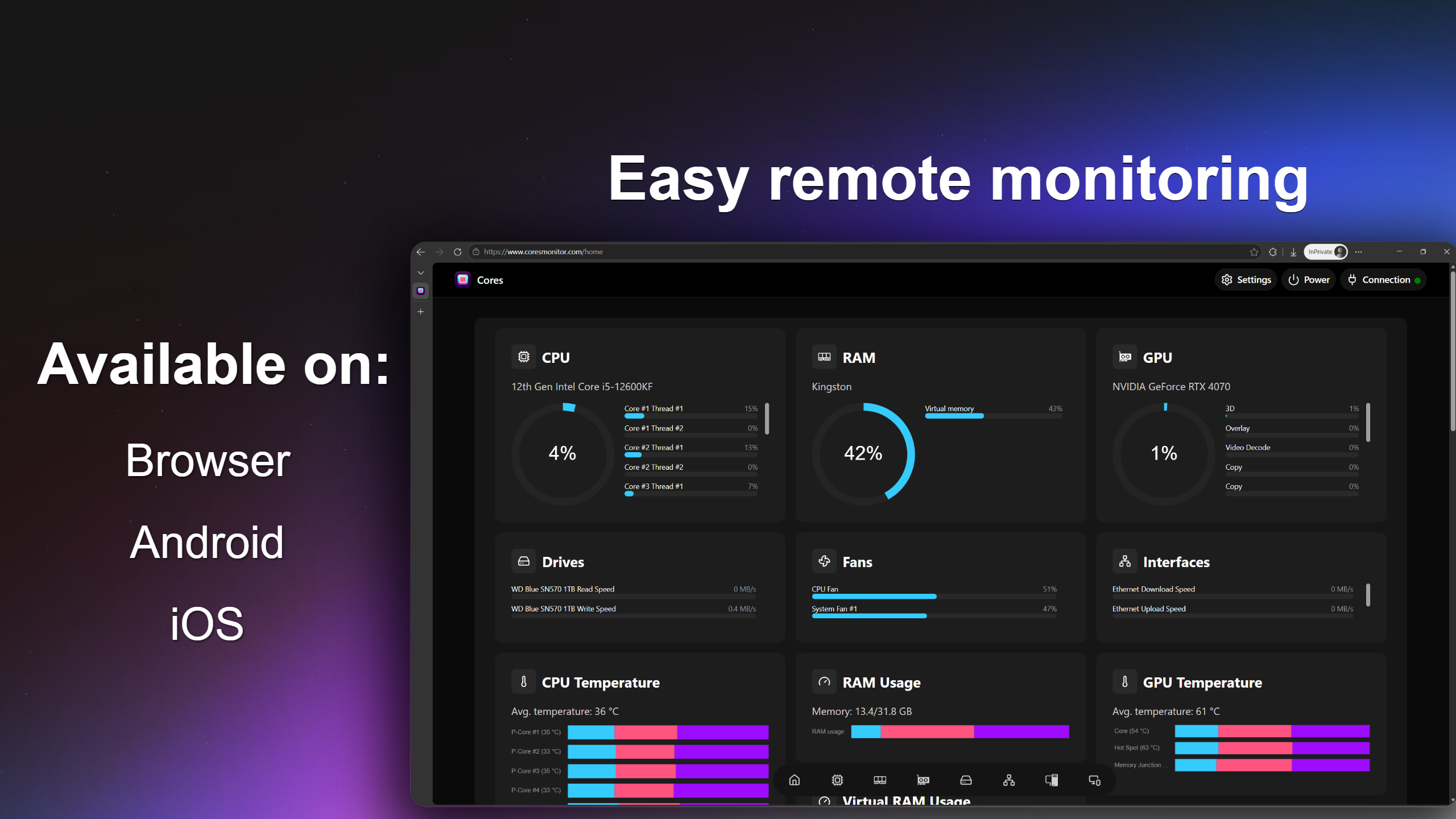
Check any machine from any browser
Remote monitoring runs over WebRTC with end-to-end encryption. Enter a connection code in the dashboard and watch live readings from anywhere. No port forwarding, no subscription.
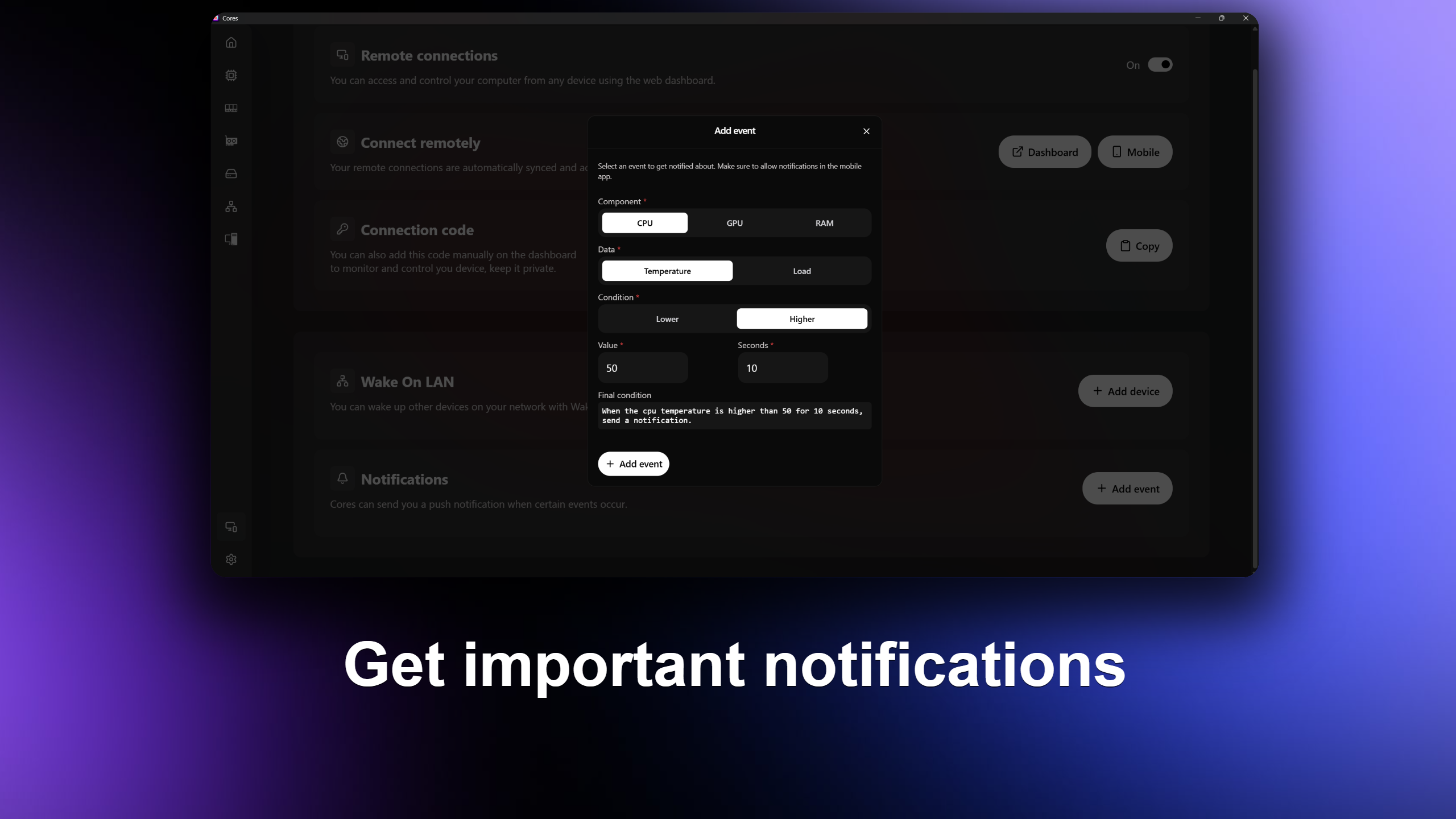
Easy alerts
Set thresholds for multiple sensors, and Cores notifies you the moment a machine crosses them.
Lightweight by design
Cores runs as a background service with minimal resource usage, so it never competes with your games or workloads.
Shut down from anywhere
Left in a hurry? Shut down or put any of your computers to sleep remotely.
Wake on LAN
Start other devices on your network remotely, straight from the dashboard.
Every reading Cores collects
A spec sheet's worth of sensors, sampled live from each machine.
Processor
- Load 31 %
- Temperature 48 °C
- Clock speed 4.7 GHz
- Voltage 1.21 V
- Power draw 64 W
Graphics
- Load 72 %
- Temperature 57 °C
- Clock speed 2.6 GHz
- Fan speed 1420 RPM
- Power draw 180 W
- VRAM usage 8 GB
Memory
- RAM Usage 11.4 GB
- Virtual RAM Usage 3.2 GB
- Speed 6000 MT/s
- Voltage 1.35 V
- Temperature 42 °C
Network
- Download speed 250 mbps
- Upload speed 150 mbps
- Data usage 412 GB
- Interface speed 2.5 Gb/s
Storage
- Read speed 3.4 GB/s
- Write speed 2.9 GB/s
- Temperature 39 °C
- Health 98 %
System
- BIOS date 2026-04-12
- Fan speed 800 RPM
Who runs Cores
Gamers and power users
Keep an eye on temperatures and clocks while you play, and check on your rig from the couch.
Homelabs
Monitor a Raspberry Pi or an enterprise-grade server at home, all from one dashboard.
Office fleets
Watch a whole department of machines remotely, without walking desk to desk.
Download Cores
Get the latest version for your platform and start the free 7-day trial.
Download the installer or get the app from the Microsoft Store.
System requirements: Windows 10 or 11, 64-bit processor
Pricing
Hate subscriptions too? Buy Cores once and keep it for life.
Cores Pro
For personal use
$9.99 one-time purchase
- One-time purchase, no subscription
- Monitor up to 5 devices
- Access any device remotely
- Export data as .csv and image
Cores Advanced
For personal and business use
$2.99 per month, per device
- Monthly subscription, cancel anytime
- Choose how many devices you monitor
- Access any device remotely
- Export data as .csv and image
Frequently asked questions
Do you offer a money-back guarantee? +
Yes. If you are not happy with Cores, reach out within the first 7 days and you get your money back, no questions asked.
How do I activate my license key? +
Download the app, log in with your Google or Apple account, then enter your license key on the next screen.
Does my hardware support Cores? +
Most hardware released in the last 10 years is supported. The free 7-day trial lets you check before you buy.
How does remote access work? +
Remote monitoring runs over WebRTC and is end-to-end encrypted. You access each computer with its unique connection code.
Something else on your mind? Email [email protected] and we will help.